Shorter lines.
Lighter staffing.
Zero doubt.
A single device for access control, session tracking, and exhibitor lead capture. The RG503 reads barcode and RFID, with a color-coded screen and light bar that tells your staff Granted or Denied from across the room.
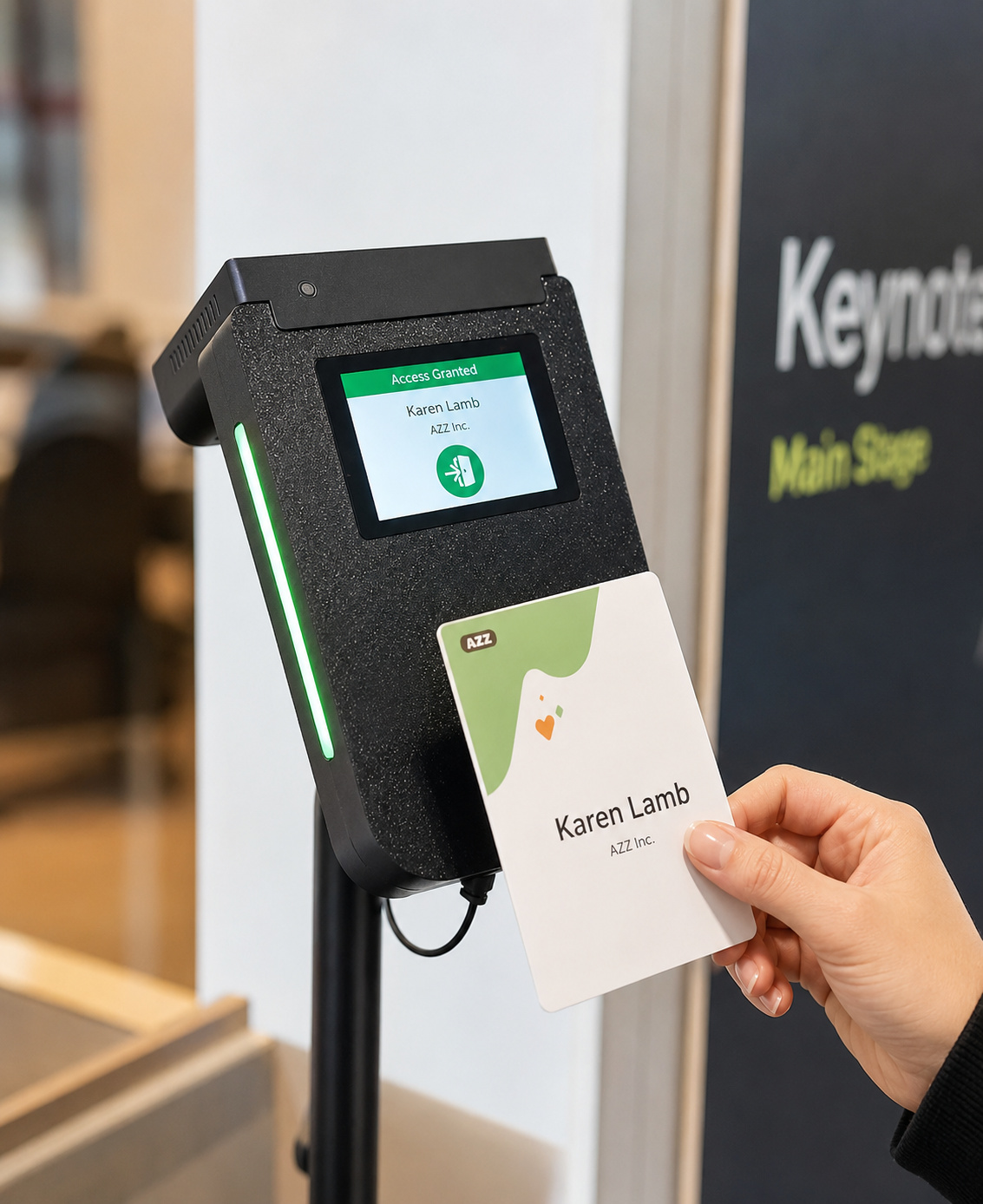
Decisions your team can read across the room.
Speed at the door decides how an event feels. Every scan returns an on-screen result paired with a full-width light bar in the same color, readable from a distance. Your team manages access with less training, faster lines, and fewer people tied to each entrance. Mount the devices at the doorway and let them do the work.
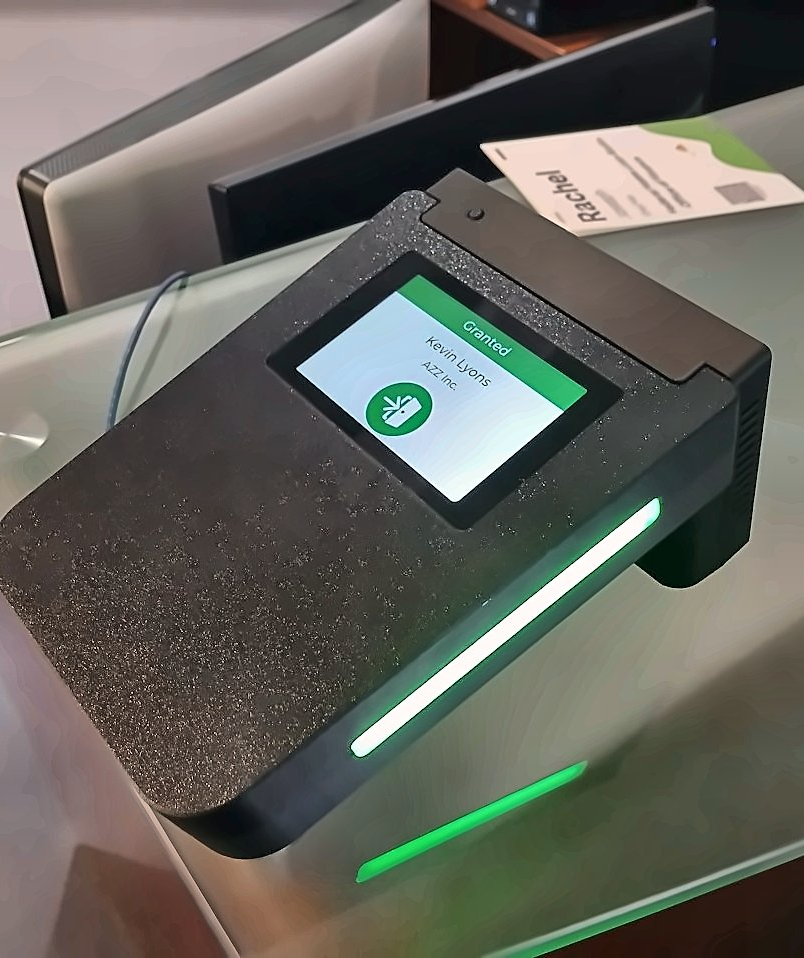
Granted
A valid ticket or registration shows a green screen with a green light bar. Staff admit the attendee and the line keeps moving.
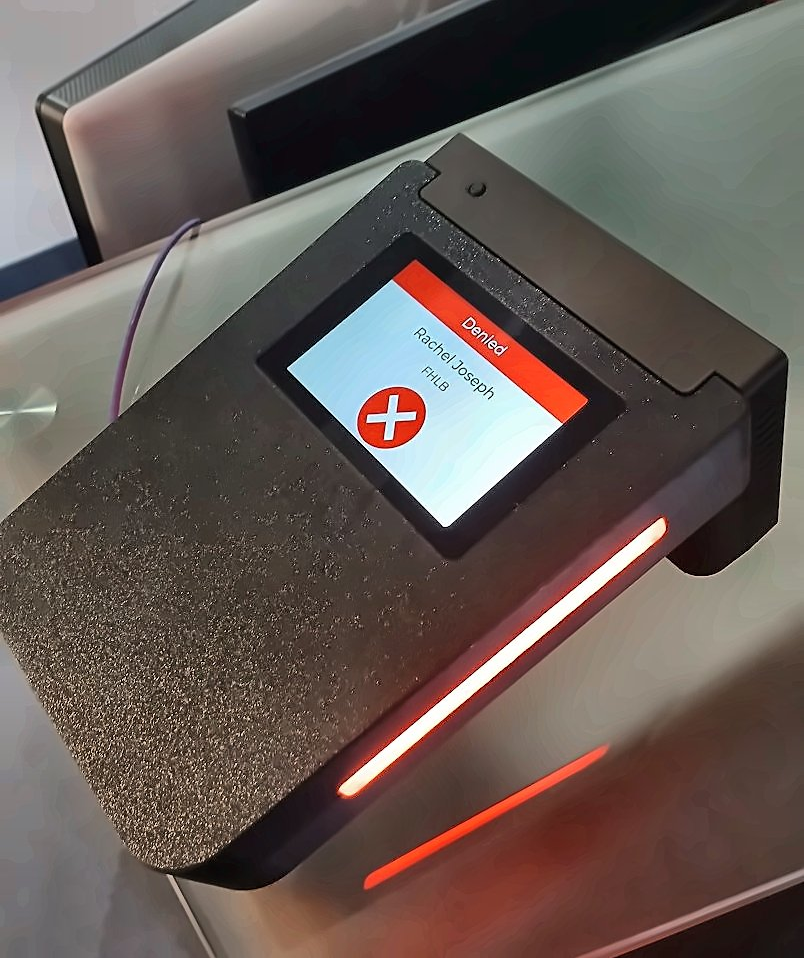
Denied
No valid entitlement for the session shows a red screen with a red light bar. Staff stop, check, and redirect the attendee to registration.
How it works
Load the List
For access control, entitlements sync to the device from your registration system. Running a tracking-only room? Skip this step entirely.
Scan
Attendees present a barcode badge or an RFID tag at the door. The RG503 reads either credential in a single motion.
Decide
The screen and light bar announce Granted or Denied instantly, and every entrance is logged for attendance reporting.
Four jobs, one device.
The RG503 covers four core functions you can mix and match across every door and booth, with no extra hardware to rent or train on.
Gate by ticket or session
Check tickets at room doors, keynote halls, paid workshops, and VIP areas. The decision is instant, and a visible audit shows exactly who was admitted.
- Granted or Denied on screen and light bar.
- Door staff never need to know the schedule.
- Lines move even at peak arrival times.
Where to deploy
- Keynote halls and main stage doors
- Paid workshops and masterclasses
- VIP lounges and speaker rooms
Know who attended what
Record room entrances and attendance per session for reporting, CE credits, and analytics. Every scan or tap is logged as an entry.
- No access check or preloaded list required.
- Track rooms even where entry is open to all.
- Clean attendance data for CE certification.
Where to deploy
- CEU and CME accredited sessions
- Breakout rooms open to all attendees
- Multi-track conference agendas
Capture interest where it happens
Set up a "scan your badge here to learn more" station beside any product or service on the floor.
- Each scan records who, when, and where.
- Follow-up rosters build themselves for exhibitors.
- No staff needed to work the station.
Where to deploy
- Product launch displays
- Demo stations and showcase walls
- Sponsor activations
Manage room capacity
Count entries and exits for a live view of room occupancy, and keep every space inside its limit.
- Live occupancy from entry and exit counts.
- Manage an overflow list when demand spikes.
- Stop admitting once a room reaches its limit.
Where to deploy
- Capacity-limited workshops
- Rooms with strict fire-code limits
- Overflow and standby lines
Built for the realities of a show floor.
Barcode & RFID in One
One reader accepts printed badge barcodes and RFID tags alike, so you are never locked to a single credential type. Attendees present whatever they carry, and the RG503 reads it in a single motion.
Works with ExpoTools RFID
The RG503 slots into your existing ExpoTools RFID infrastructure rather than replacing it. The same session tracking tag that powers attendee analytics also drives access management at the door.
Identity Verification
Add attendee photos to the entitlement list and the registered face appears on screen with every scan. Staff confirm the holder at a glance, which cuts badge sharing and ticket fraud.
Live Schedule Management
Change room names, functions, and session timings from one central console during the show. Each device receives the update immediately, so a room swap reaches every door without redeploying staff.
Why it works
All-in-One Hardware
No separate readers, kiosks, or apps to buy, wire up, and maintain.
Reads What Attendees Carry
Barcode badges and RFID tags both work, so you are not locked to one credential.
Fits Your Existing Setup
Integrates with the ExpoTools RFID system you may already run.
Your Door Never Stops
Ticket lists cache on the device, so scanning continues if WiFi drops.
Specifications
Key technical details at a glance.
| Credential types | Barcode & RFID |
|---|---|
| Modes | Access management, session tracking, lead capture & occupancy control |
| Identity verification | Optional attendee photo on screen at scan |
| Display | Color touchscreen with Granted and Denied states |
| Status indicator | Full-width color light bar (green / red) |
| Integration | ExpoTools RFID system |
| Connectivity | WiFi, Ethernet & cellular |
| Offline operation | Full on-device caching; scans queue and upload when reconnected |
| Power | Mains powered (AC outlet) or Power over Ethernet (PoE) |
Where it earns its keep.
Conferences
Run per-session access and attendance for paid tracks and CE credit courses.
Trade Shows
Control entry on the show floor while capturing booth traffic for exhibitors.
Ticketed Events
Validate tickets at the door in a glance against a live list.